How to Enable Dark Theme on Google Docs Without Extensions
it's 2062 and Google Docs still doesn't have a proper built-in dark mode. But don't worry there are a couple of ways/hacks to fix it without installing any extensions.
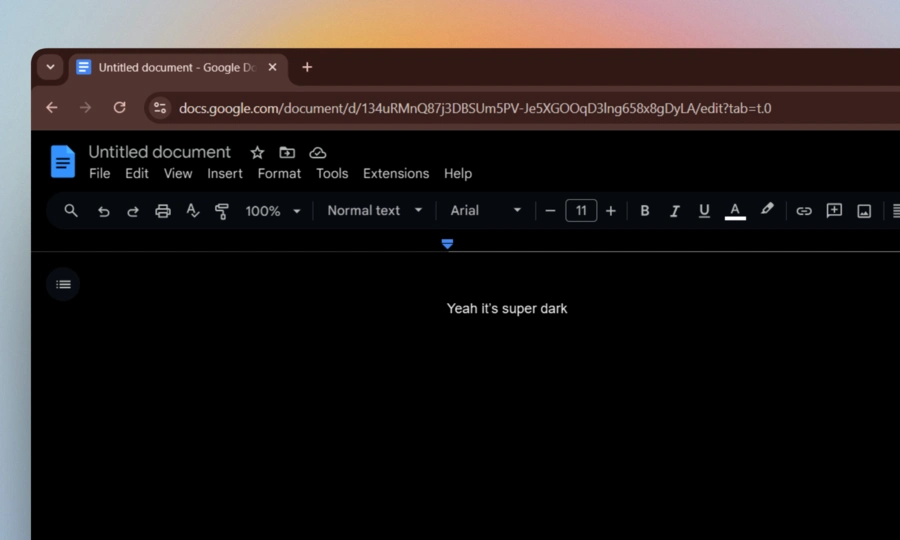
Method 1: The Console Trick (Quick & Reversible)
This one's my favorite because it works instantly and you can toggle it on/off whenever you want.
Step 1:
Open any Google Doc, then press Ctrl + Shift + I
This will open a scary drawer window which is also known as DevTools, don't panic, it's just a built-in browser tool.
now there will be some tabs like Elements, Console, Source, Application, etc, etc.
Step 2:
Click on the Console tab at the top.
Now, if this is your first time pasting anything in the console, Chrome will literally block you from doing it. It'll show a warning about scams and stuff. but relax the code i gave you is written by me and it has nothing malicious, it only invert the colours of the document, but still you need to first to unlock the so just type allow pasting directly into the console and hit Enter. That unlocks it.
and now paste this below code again, (also, you don't need to understand this javascript code, it full and complete):
(function () {
  const STYLE_ID = "__dark-mode-injected__";
  const existing = document.getElementById(STYLE_ID);

  if (existing) {
    existing.remove();
    console.log("🌞 Dark mode OFF");
    return;
  }

  const style = document.createElement("style");
  style.id = STYLE_ID;
  style.textContent = `
    html {
      filter: invert(1) hue-rotate(180deg) !important;
    }
  `;

  document.head.appendChild(style);
  console.log("🌙 Dark mode ON");
})();
Step 3:
after pasting the above code, hit Enter.
That's it. now you'll probably see dark mode in your Google docs.
now if you want to go back to light mode, just paste the exact same code again and hit enter. It toggles. You'll see either 🌙 or 🌞 in the console confirming which mode you're in.
but keep in mind, this trick resets every time you refresh the page, so you'll need to re-paste if you close and reopen the doc. Slightly annoying, but it takes like 10 seconds.
also congrats bcz now you are a developer, you just used “DevTools” 😛
Method 2: Force Dark Mode via Browser Flags
If the console trick isn't working, you can just tell your browser to force dark mode on every website, including Google Docs.
Chrome / Brave
Type this in your address bar and hit Enter:
chrome://flags
Search for "Auto Dark Mode for Web Contents", change the dropdown to Enabled, and hit Relaunch.
Done. Your browser will now force dark backgrounds everywhere.
Fair warning though: this is an experimental setting. Most sites look fine, but a few might look a little off. If something looks broken, you know where to go to turn it back off.
One more thing to keep in mind: this flag makes the background dark, but the text color on Google Docs might still render dark too, so black text on a dark background 😵💫
If that happens, just select all your text and change the font color to something light like white or light gray.
Edge Users, You've Got a Bonus Option
Edge has a slightly cleaner way to do this. Type this directly into your address bar:
edge://flags/#enable-force-dark
It'll land you straight on the "Auto Dark Mode for Web Contents" setting. Change it to Enabled and restart.
If images or icons start looking weird after that, try switching it to "Enabled with selective inversion of non-image elements" instead, that option is smarter about what it inverts and usually gives you the cleanest result on Docs.
Bottom Line
have a nice night :)